QVCCS innovation

Innovation is how we deliver.

Our ability to innovate, and to execute on it, is what clients and integrators come to us for. It is not a lab on the side. It runs through every engagement.

Every client we have the privilege of working with brings something new: a need, an idea, an integration or a constraint nobody has met before. We embrace it quickly, and we do not let it end with that project. What we learn goes back into our own tooling and applications, our reusable assets and patterns, our method and documentation, and the best practice that every later engagement starts from.

That is how the QVCCS App Suite grew, how our interface contracts and test packs became standard, and why each project starts further ahead than the last. Our thought leadership rests on principle: designed deliberately, proved before it goes live, and documented so that others can rely on it.

Here you will find the stories behind our applications, practical guides to Genesys Cloud CX and the engineering thinking that shapes our work.

Series

Inside the App Suite

The story of each QVCCS application with a public user guide: the problem it solves, what Genesys Cloud CX does natively, and how we built it. 19 articles, newest first.

Configuration and DevOps · Flow Narrator

Flow Narrator: a plain-English as-built of every journey through your Architect flows

· updated

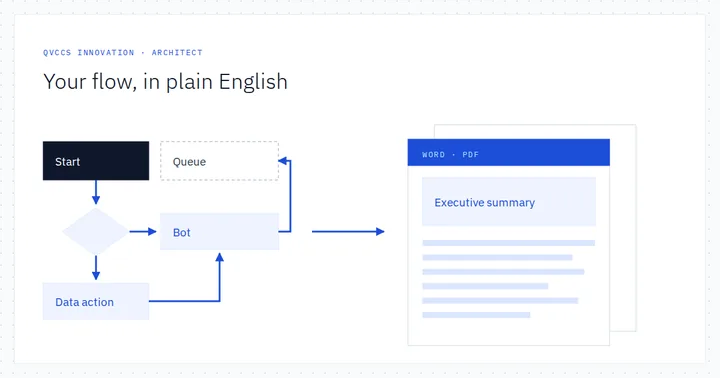
An Architect flow is precise but technical: tasks, switches written in an expression language, data actions mapping answers into variables, bots, transfers. Flow Narrator reads the flow a caller's journey starts in and everything it calls, follows the logic to every place a call can end, and writes it up as a plain-English as-built in Word and PDF.
Audit and governance · PII/PCI Finder

Finding what redaction missed: scanning Genesys Cloud transcripts for PII and card data

· updated

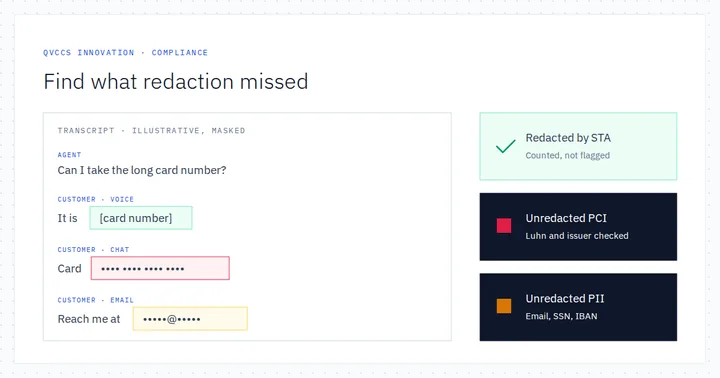
Genesys Cloud CX gives you strong tools to keep card data out of recordings and to redact sensitive data from transcripts. Our PII/PCI Finder answers the auditor’s follow-up question: across a quarter of conversations, where did something slip through? It harvests Speech and Text Analytics transcripts, scans every phrase with checksum-gated detectors, and is candid about what pattern matching cannot see.

Diagnostics · Bot Flow Diagnostics

What callers actually said: bot journeys, turn-by-turn replay and the no-match backlog

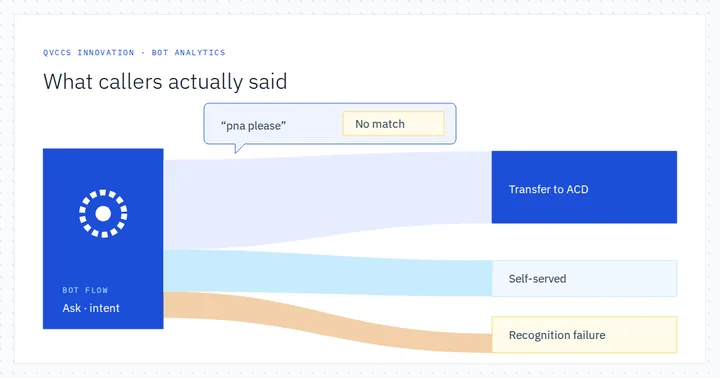
A bot flow is only as good as its understanding of what real callers say. Genesys Cloud records every bot session and every reporting turn. We built Bot Flow Diagnostics, known in the app as Bot Sankey, to harvest them into a lasting warehouse and show three things: where conversations go, what each caller said turn by turn, and which phrases the bot failed to understand.

Analytics and insight · IVR Sankey

IVR Sankey: every call through your Genesys Cloud IVR, on one map

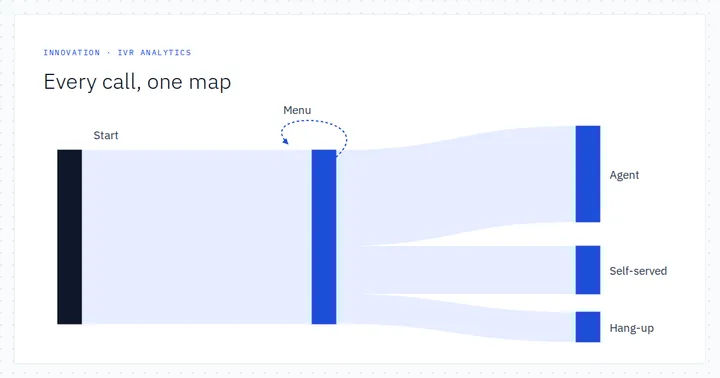
A funnel answers a question you already have. A map shows you the questions you did not know to ask. IVR Sankey harvests every call through an Architect flow into a warehouse, draws the whole population's journey, and lets you split it by any participant-data attribute your flows write.

Analytics and insight · Journey Analyser

Journey Management and Journey Analyser: funnels for the inside of your IVR

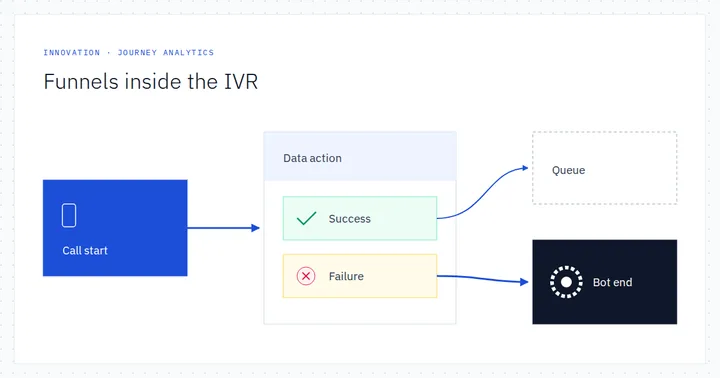
Genesys Journey Management follows customers across channels. The questions an IVR owner asks every Monday live one level down: which menu option, which data action result, which bot verdict. We built Journey Analyser to answer them with the same four funnel metrics, computed over Architect flow execution traces.

Analytics and insight · Participant Data Analytics

Participant data: the busiest dataset in your Genesys Cloud org, finally analysed

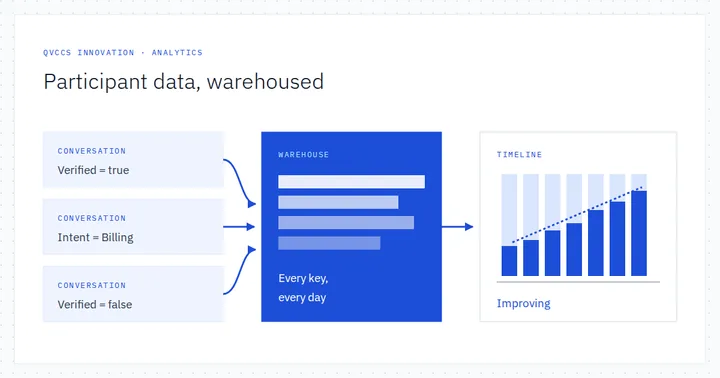
Every Architect flow, bot and agent script writes its working state into participant data: verification flags, lookup results, intents, outcomes. Genesys Cloud keeps that map on every conversation. We built Participant Data Analytics to warehouse it across the whole organisation and answer the question flows cannot: has this outcome improved or decayed over time?

Audit and governance · Knowledge Manager

What is really in your knowledge bases? A point-in-time Genesys Cloud knowledge inventory

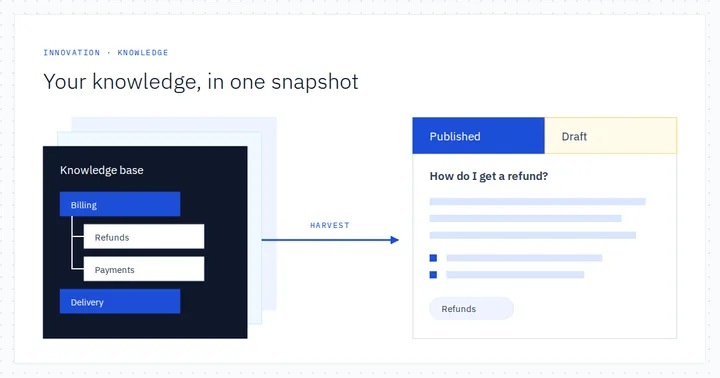
Knowledge now feeds agents, bots and customers alike, so the question ‘what exactly is in our knowledge bases, and is it any good?’ matters more than ever. Knowledge Manager answers it with one click: a complete, read-only, point-in-time snapshot of the Knowledge workbench – every base, category, label and article, with full bodies in both draft and published form.

Analytics and insight · Conversation Detail

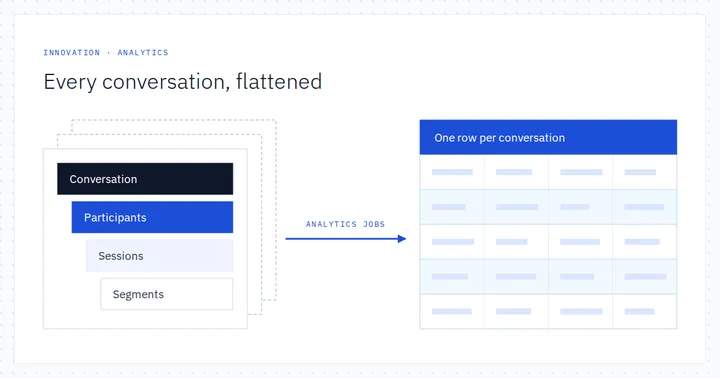
Every conversation, flattened: bulk Genesys Cloud detail export with analytics jobs

Reconciliation, IVR audits and CRM matching all start with the same request: give me everything that happened between these two points in time. Conversation Detail answers it with Genesys Cloud's asynchronous analytics jobs, enriches each record with participant attributes and IVR inputs, and hands back a flat, filterable workbook and the complete nested JSON.

Live monitoring · Live Call Map

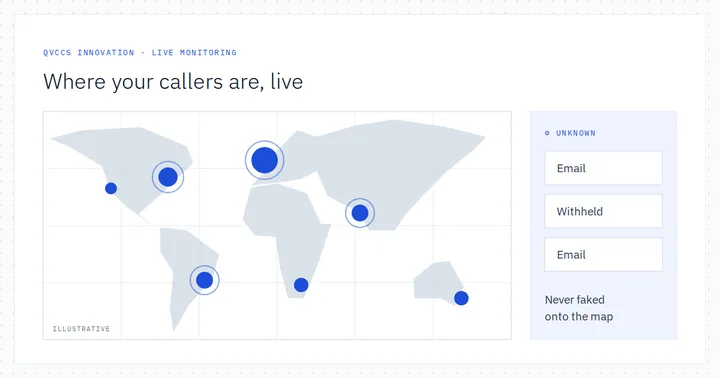
Live Call Map: every active Genesys Cloud conversation on a world map, placed with care

Where are our callers right now, and what is happening to them? Live Call Map plots every active Genesys Cloud conversation on a world map the moment it arrives, alongside live agent presence and queue health – and it is careful, and open, about how each position was worked out and how confident it is.

Diagnostics · Flow Journey

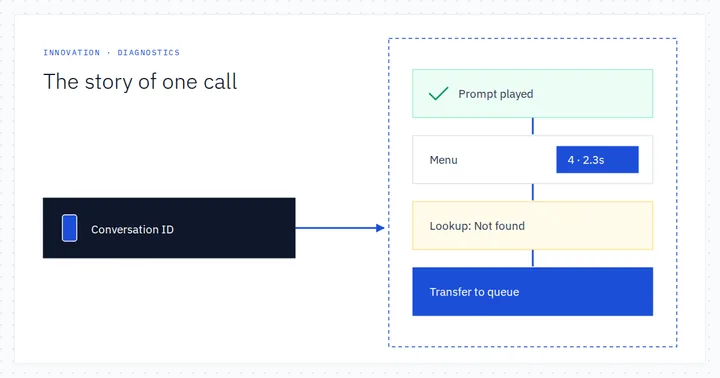
Flow Journey: the story of one call through every Architect flow it touched

When a customer says the IVR hung up on them, the truth is in Genesys Cloud's flow execution data: precise, complete and written for machines. Flow Journey takes one conversation ID and turns every flow instance it produced into a story you can read and a picture you can walk, colour-coded by what worked and what didn't.

Audit and governance · Permissions Auditor

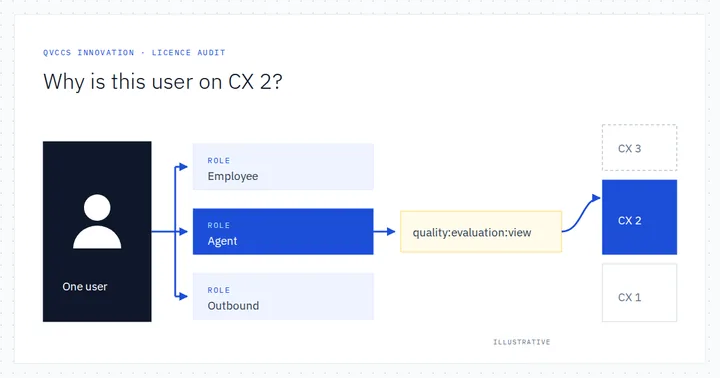
Which permission put this user on CX 2? Licence attribution, traced to the role

In Genesys Cloud, the licence a user needs follows from the permissions their roles grant. One quality permission in a shared agent role can lift a whole voice population a tier. We built Permissions Auditor to trace every user's tier to the exact permission and role behind it, reconcile that with Genesys's own views, and rehearse the fix before anyone edits a role.

Live monitoring · CX Pulse

CX Pulse: a push-driven Genesys Cloud presence wallboard, team by team

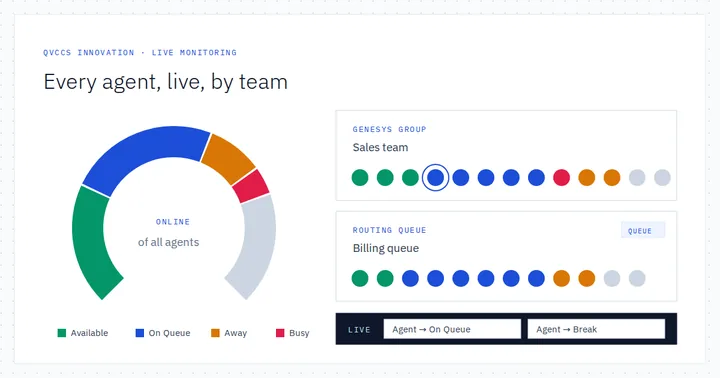
A supervisor at 08:55 wants one thing: who is actually on queue, who is available and who has been on break since half past seven. CX Pulse answers that on a single live board, grouped by Genesys group or routing queue, by streaming every presence and routing-status change from the Genesys Cloud notifications API.

Configuration and DevOps · Flow Mapper

Flow Mapper: see every Architect flow whole, audit it, and document it as built

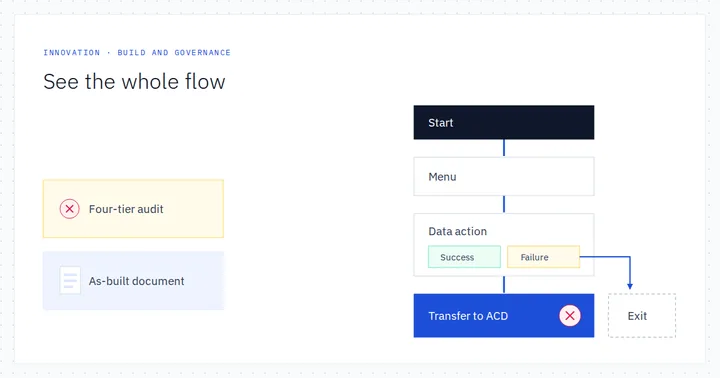
Architect is where flows are built, one flow at a time. Flow Mapper is where they are understood: every published flow drawn whole from its raw configuration, a virtual call walked through it, the organisation's supporting objects inventoried, a four-tier audit across everything, and a Word as-built document generated rather than typed.

Audit and governance · DID Conflict Checker

Where does every number go? Auditing Genesys Cloud DIDs, flows and caller IDs

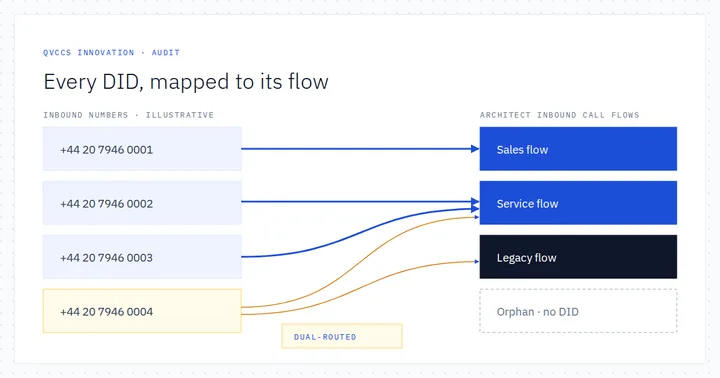
Phone numbers in Genesys Cloud CX live in more places than most teams realise: call routes, DID records and pools, site number plans, trunks, user profiles and outbound campaigns. Our DID Conflict Checker reads them all, maps every inbound number to the Architect flow it lands on, and surfaces the stale, orphaned and dual-routed numbers without a spreadsheet in sight.

Live monitoring · Trunk Monitor

Trunk Monitor: sub-second SIP trunk health for Genesys Cloud, with the evidence

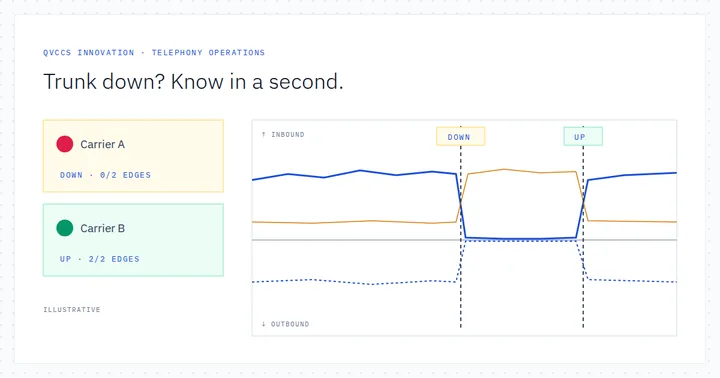
When a carrier trunk wobbles, the incident bridge asks three questions at once: is it down, did calls drain to the backup, and when exactly did it happen? Trunk Monitor answers all three on one screen by fusing a steady five-second metrics poll with Genesys Cloud notification topics that land trunk transitions in sub-second time.

Audit and governance · Config Validator

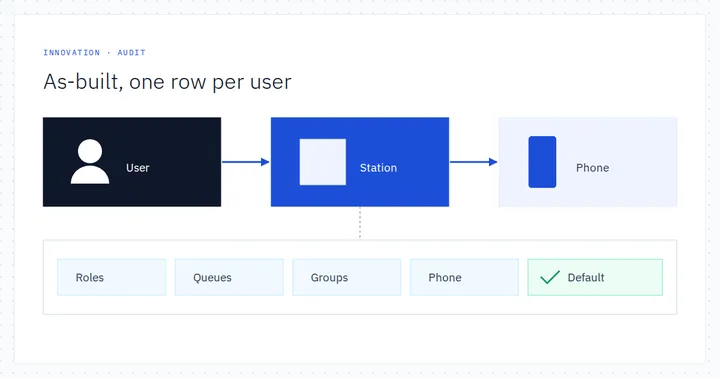
As-built evidence in one click: users, phones, queues and groups in a single row

Before go-live, at audit time and at handover, someone always asks the same question: for every user, what phone do they have, is it their default station, and which queues, groups and roles do they hold? Config Validator answers it in one read-only run, joining nine Genesys Cloud endpoint families into one row per user that you can filter and export.

Diagnostics · SIP Trace Analyser

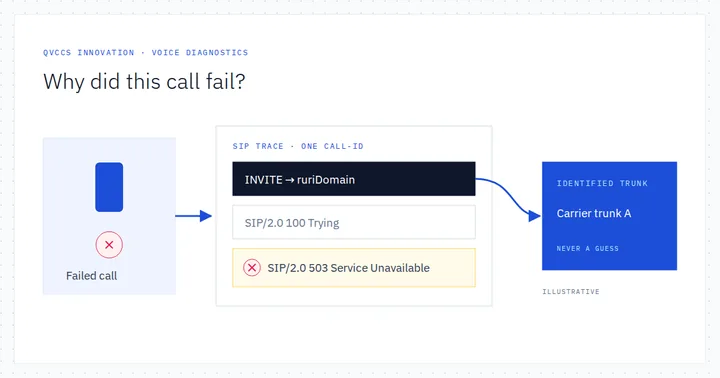
SIP Trace Analyser: from “why did this call fail?” to the trunk and the response code

A carrier says their side is fine. The contact centre says calls are failing. SIP Trace Analyser settles it with evidence: it searches Genesys Cloud voice conversations for SIP and transport failures, reads the SIP signalling metadata Genesys recorded, hunts specific response codes across raw traces and attributes each failure to the trunk that carried it.

Diagnostics · Conversation Analyser

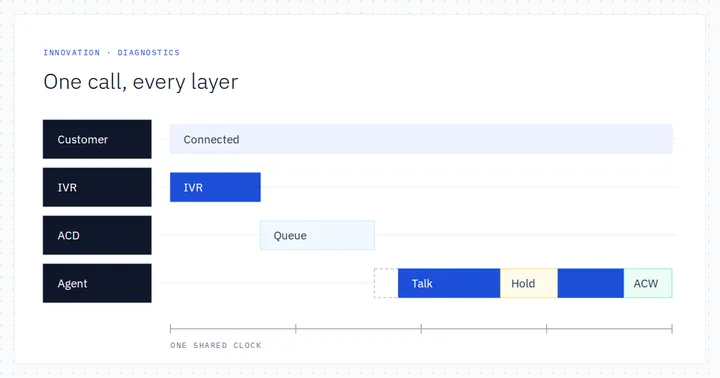
One call, every layer: reconstructing a Genesys Cloud conversation end to end

A complaint lands, a conversation ID is pasted into the ticket, and someone has to explain exactly what happened. We built Conversation Analyser to turn that one ID into a complete forensic report: every participant, session and segment on a shared clock, the IVR replayed step by step, audio quality scored per leg and the participant data your flows wrote.

Configuration and DevOps · IP Ranges

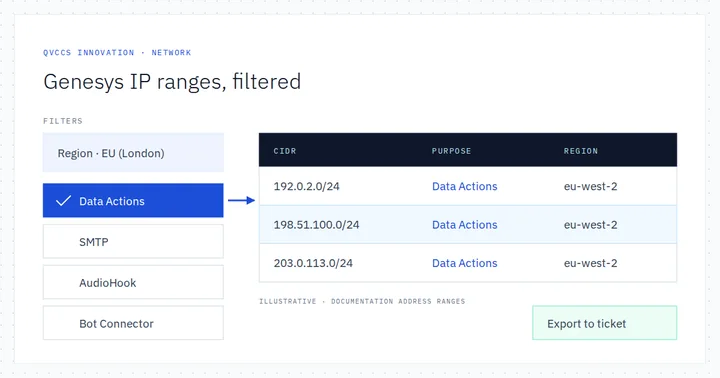
Genesys Cloud IP ranges for firewall allow-lists, filtered by region and purpose

Sooner or later every Genesys Cloud CX integration reaches a network engineer’s desk: open the firewall for data actions, the mail relay, the AudioHook receiver. Genesys publishes the address space for those services through its Platform API. Our IP Ranges app turns that catalogue into a sortable, filterable table – by region, purpose and direction – ready to attach to a change ticket.

How-to guides

Genesys Cloud CX, explained

Evergreen guides to Genesys Cloud CX capabilities and integrations, checked against current Genesys documentation and kept up to date.

How-to guides

Integrating Genesys Cloud CX and Zendesk with data actions

· updated

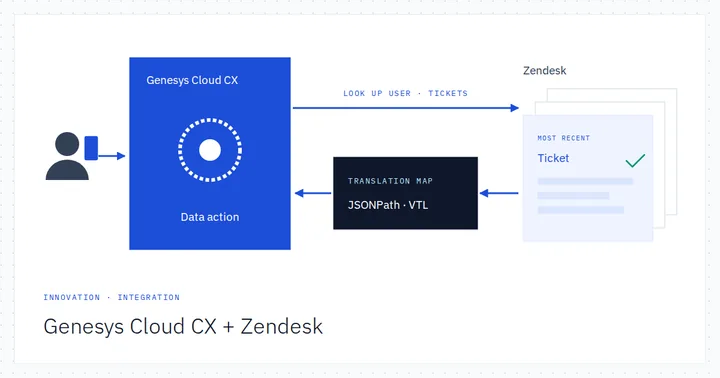
The customer's account and every ticket they have raised live in Zendesk. The conversation lives in Genesys Cloud CX. We joined the two with Zendesk data actions, so the IVR can read back a caller's open tickets, let them raise a new one, and hand the agent that brand-new ticket in the screen pop a moment later.

How-to guides

Importing external call recordings into Genesys Cloud EX: a practical guide

· updated

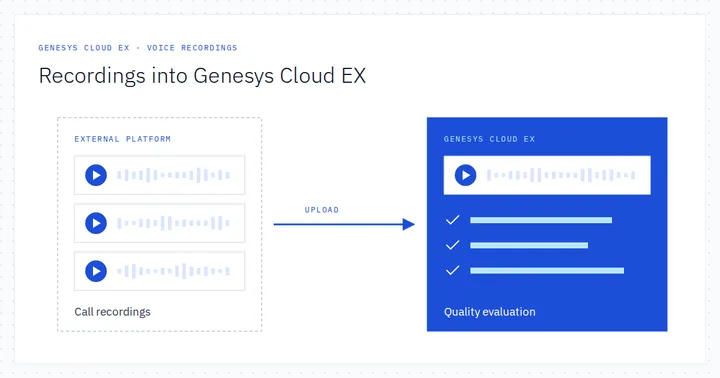
Your calls are answered and recorded on another platform, but you want Genesys Cloud quality management, workforce engagement and speech and text analytics on them. Genesys Cloud EX makes that possible. This guide explains what EX synchronises, how a recording is packaged, encrypted and uploaded, what data must be mapped, and how we design, migrate and prove it.

How-to guides

How to build a secure Genesys Cloud callback request form for your website

· updated

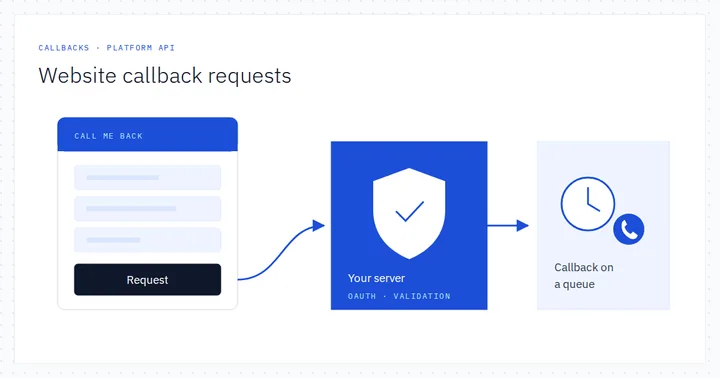
A customer on your website wants to talk, but not now: at 17:30, after the school run. A callback request form gives them that choice and puts a scheduled callback on the right Genesys Cloud CX queue. This guide shows how we build one securely, with your own server between the browser and the Genesys Cloud Platform API.

How-to guides

Genesys Cloud workitems and task routing: a practical guide to Work Automation

· updated

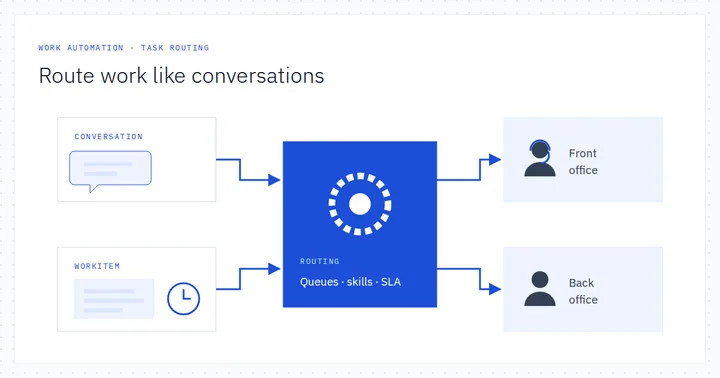
The contact centre measures every second of a call, then loses sight of the claim the moment the caller hangs up. Genesys Cloud Work Automation turns that back-office task into a workitem that is typed, queued, routed, timed and automated like a conversation. Here is how the building blocks fit together, and how we design and deliver them.

How-to guides

Borrowing agents safely: conditional group routing vs Conditional Group Activation

· updated

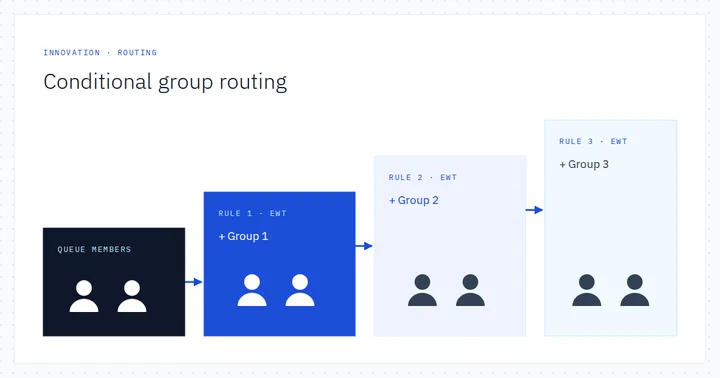
When one queue is drowning and another is coasting, Genesys Cloud CX can lend agents across queues automatically, but only as safely as the rules allow. We explain how conditional group routing really evaluates its rules, why Genesys now recommends Conditional Group Activation instead, and how we design, test and migrate both.

How-to guides

Auto answer in Genesys Cloud: voice, messaging and email, designed with care

· updated

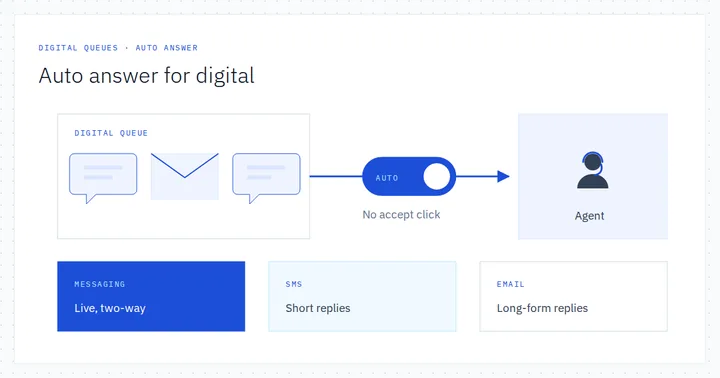
Auto answer connects an interaction to an agent without an Accept click. On a busy voice queue that can be exactly right; on an email queue it can quietly fill an agent's workspace with work they have not chosen. This guide explains where Genesys Cloud auto answer is set, what the agent experiences, how utilisation and reporting treat it, and how we decide channel by channel.

How-to guides

Authenticating your customers in Genesys Cloud web messaging with OpenID Connect

· updated

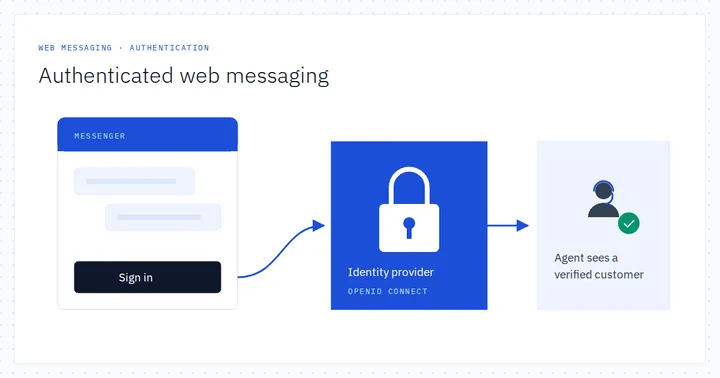
A customer who has already signed in to your website should not have to prove who they are all over again in the chat window. Authenticated web messaging lets Genesys Cloud CX Messenger reuse that sign-in through OpenID Connect, so agents and flows start from a verified identity. Here is how it works and how we design and deliver it.

How-to guides

Integrating Genesys Cloud CX and Salesforce: a data-action-led design

· updated

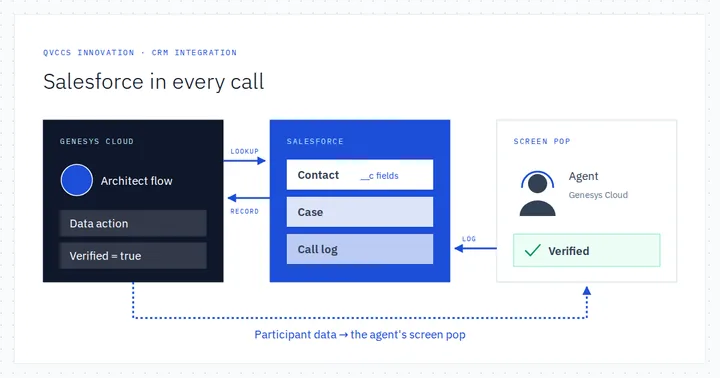
The customer's story lives in Salesforce: their account, their contacts, their open cases, their preferred language. The conversation lives in Genesys Cloud CX. We built a data-action-led integration that lets the IVR and the agent ask Salesforce the right questions at the right moment, and writes every call back to the record, without moving agents out of the Genesys Cloud workspace.

Last reviewed

Questions about what you have read?

Clients, partners and people introduced to us can reach the specialists behind our applications and articles directly.

Who to contact